

Customization
Koha Customization — Your Branding, Your Workflows
A catalog that looks like your institution — built so the next upgrade doesn't undo it.
Read this first
The upgrade trap
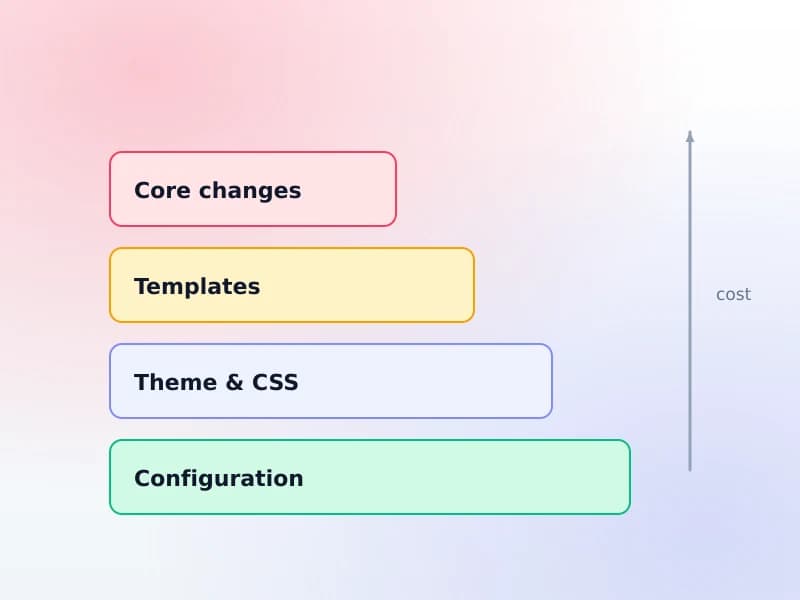
Customization in Koha is a ladder, and every rung up costs more at upgrade time — forever, not once. Anyone quoting you for catalog work without explaining this is quoting for half the cost.
1Configuration
No upgrade costSettings, system preferences, authorised values, circulation rules, notice templates. Stored as data, so an upgrade cannot touch them. Most of what libraries actually want lives here.
2Theme and CSS
Rarely affectedLogo, colours, typography, layout of the public catalog. Occasionally needs a look after a major release changes markup, but it is a review rather than a rebuild.
3Template changes
Re-checked every upgradeEditing the page templates themselves. Upstream changes the same files, so each upgrade means reconciling your version with theirs. Real work, forever.
4Core code changes
Re-merged every upgradeChanging how the system behaves at the source. Every upgrade becomes a merge with the possibility of breaking. We do this only with a stated reason and your explicit acceptance of the standing cost.
We build at the lowest rung that achieves the goal — and when a higher one is genuinely needed, we tell you the standing cost before we start rather than after your next upgrade.
Scope
What we customize — from the OPAC homepage down
Everything here is about the catalog — the public one patrons search and the staff side behind it.
OPAC branding
Logo, colours, typography and layout, built to your institution’s brand guidelines rather than approximated from a screenshot.
Homepage and custom pages
A catalog homepage that says something, plus the pages libraries always end up needing: opening hours, borrowing rules, subject guides, databases, FAQ.
Custom patron and item fields
Student number, department, faculty, funding source, donation record — the fields your institution actually tracks, as real fields rather than notes.
MARC frameworks
Cataloging templates matched to what you collect, so cataloguers see the fields they use and not the four hundred they do not.
Circulation workflows and rules
Loan periods, renewals, holds, fines and reservations per patron category and per branch — usually where "the system is awkward" actually gets fixed.
Custom reports
The numbers your director, your funder or your accreditation review asks for, as saved reports anyone can run rather than a request to IT.
Language and localisation
Interface language, date formats, and cataloging in your own script. Multilingual collections have their own page — the requirements go deeper than translation.
Your own catalog address
The catalog on your institution’s own domain or subdomain, so it reads as yours to patrons and to search engines.
How it is done
How the Koha OPAC is customized
Five places a change can live. Which one it belongs in is the whole decision — it sets what the change can do and what it costs at the next upgrade.
OPACUserCSS and OPACUserJS
System preferences that inject your own CSS and JavaScript into every catalog page. The safest rung on the ladder: nothing in the templates is touched, so an upgrade cannot undo it. Most branding work belongs here and stays here.
The header, footer and navigation
Preference-driven zones around every page — the masthead, the navigation, the block beside search results and the footer. Enough for institutional branding and links back to the university site without editing a template.
The Pages tool and custom OPAC pages
Opening hours, borrowing rules, subject guides, a databases list, an FAQ. Real pages inside the catalog, editable by library staff afterwards rather than by whoever built them.
XSLT record display
How a bibliographic record renders in search results and on its own page. This is where "why does it show the subtitle twice" gets fixed, and it is a rung higher: XSLT changes are template changes and want re-checking at each upgrade.
System preferences
Several hundred switches that change behaviour without any code at all. The first thing we check, because a preference nobody knew about is the cheapest possible fix and it survives every upgrade for free.
And where we stop
Core code changes. They are possible, they are occasionally the only answer, and every one is a permanent tax on your upgrades. We say so before quoting rather than after — see the upgrade trap above.
Before and after
What branding actually changes
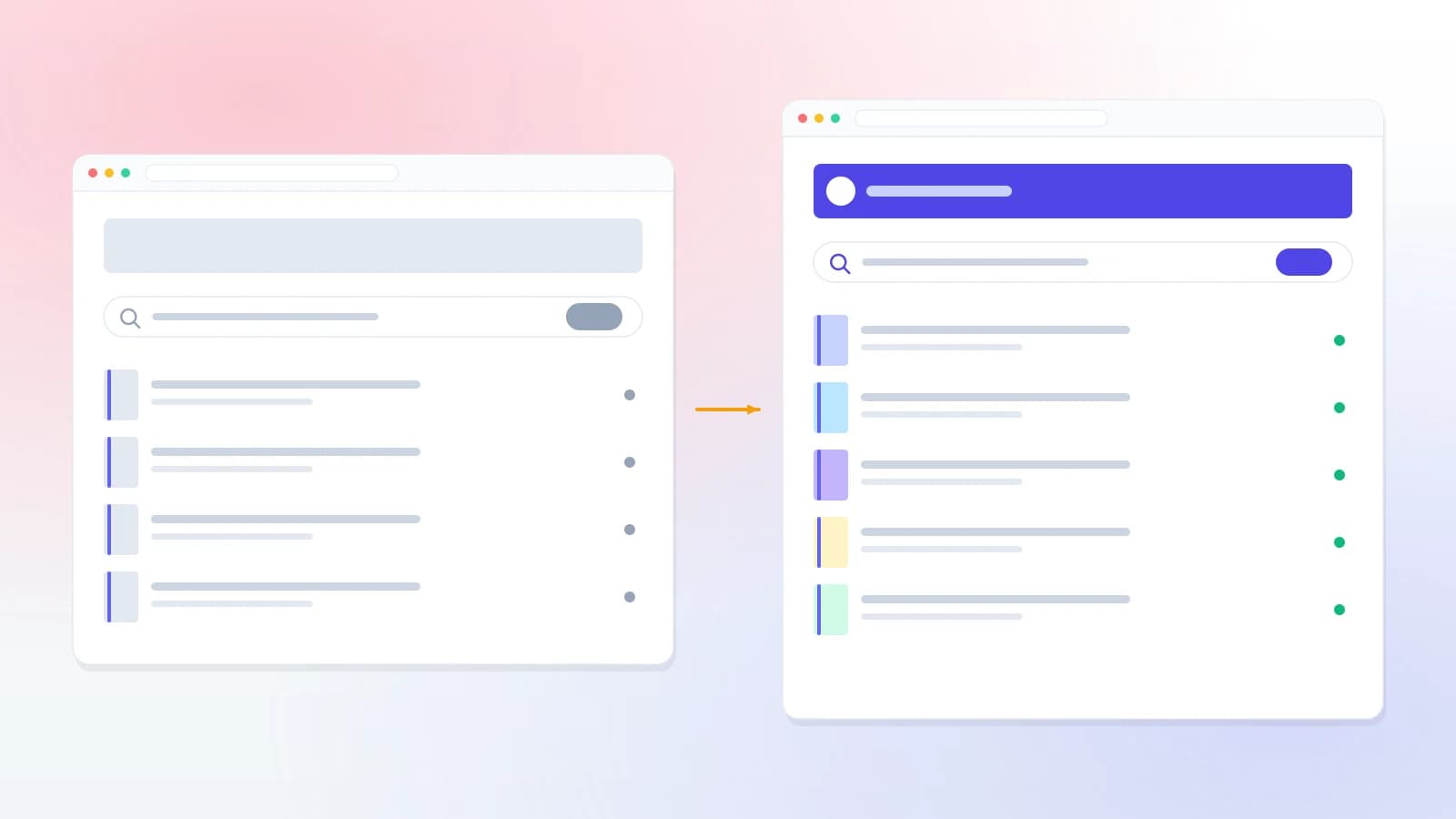
The value here is visual and instantly legible, which is why it is the block that carries the page.
On Koha Cloud
Branding that costs nothing at upgrade time
This is the one place where hosting with us changes the answer rather than just the convenience.
Each library on Koha Cloud gets its own branded catalog on its own address, and the theming is applied as configuration rather than forked code. Your logo, colours, layout choices and custom pages are stored as data — so an upgrade cannot conflict with them, and there is nothing to redo afterwards.
That is rung one of the ladder above delivering what most libraries were expecting to have to pay for at rung three.
See Koha CloudWhat we won’t do
We will not quietly change core behaviour to satisfy a request that configuration can already meet, and we will not take on a core change without telling you it becomes a merge at every future upgrade — one you keep paying for long after the invoice for building it.
Where a genuinely new capability is needed, the better answer is usually to contribute it upstream. Then it is maintained by the project rather than by you, and it arrives in your next upgrade instead of fighting it.
If you have heard a firm "yes, we can change that" from someone without hearing any of this, that is the part that was left out.
Only want it to look right?
Appearance has its own page
If the brief is the catalog's design — your logo, colours, typography, a homepage worth landing on, responsive and accessible — that is a theme, and it is quoted separately from the workflow changes on this page.
Not what you were looking for?
This page is about the catalog
If you need an institutional website, a department portal, or an integration between one of those and your catalog, that is a different service and it has its own page.
FAQ
What libraries ask
Will customizations survive a Koha upgrade?
It depends entirely on which rung of the ladder they were built at, which is why we lead with that. Configuration and theming survive. Template edits need reconciling each time. Core changes need re-merging. We build at the lowest rung that achieves what you asked for, and if a higher one is genuinely required we tell you what it will cost you at every future upgrade before we start.
Can you match our institution's brand guidelines?
Yes. Send us the guidelines — colours, typefaces, logo usage, spacing rules — and the catalog is built to them rather than approximated. If your guidelines specify a licensed typeface we will need the licence to cover web use, which is worth checking early.
Can you customize the staff interface too?
Yes, though it is usually the wrong place to start. Most complaints about the staff interface turn out to be circulation rules or permissions rather than layout, and fixing those is configuration — cheaper, faster, and it survives upgrades.
Do we need to move to your hosting?
No. We customize Koha on your own server as well as on ours. Hosting with us does change one thing: theming is applied as configuration rather than as forked code, so there is nothing to redo at upgrade time.
Can you add a feature Koha doesn't have?
Sometimes, and the first question we ask is whether it should be contributed upstream instead. A feature that lives in the main project is maintained by the community and arrives in your next upgrade for free; the same feature as a private patch is yours to carry forever. We will always tell you which of the two we think it is.
Who owns the customization work?
You do. The theme, the templates, the reports and any code written for you are yours, handed over in full, and you can take them to another provider. Nothing is held back to make leaving difficult.
Related reading
Before you commission anything
Customizing Koha — the guide
What can be changed, where each setting lives, and how far you can get without a developer.
Read the guideUpgrading Koha safely
Why the ladder above matters — what actually breaks between versions and why.
Read the guideMARC21 in Koha
Frameworks, fields and subfields — the layer behind custom cataloging fields.
Read the guideOther services
Get a quote
Get a customization quote
Describe what you want it to look like or do. We will tell you which rung of the ladder it sits on before we quote — including when the answer is “that is a setting, you can change it yourself”.