

Version upgrades
Koha Upgrade Services — Back Onto a Version Somebody Supports
Rehearsed on a copy of your catalog, verified before it goes anywhere near the live one, and reversible until you say otherwise.
Why it gets deferred
Nothing forces an upgrade, until something does
An old Koha keeps working, which is exactly the problem — the cost of postponing it is invisible right up to the moment it is urgent.
“We are three versions behind and afraid to touch it.”
“The last upgrade broke our notices and nobody noticed for a month.”
“The person who customized it has left.”
“We cannot get support because our version is too old.”
Three things accumulate quietly. Security fixes stop reaching you, because they are published against versions still under maintenance. Help gets harder to find, because the community answers questions about the releases people are running. And each year deferred makes the eventual upgrade larger, not smaller — the work does not go away, it compounds.
The fear is reasonable, though. An upgrade that goes wrong at 9am on a Monday is a library that cannot lend a book. That is a process problem, and process is what the rest of this page is about.
How it works
The live catalog is the last thing we touch
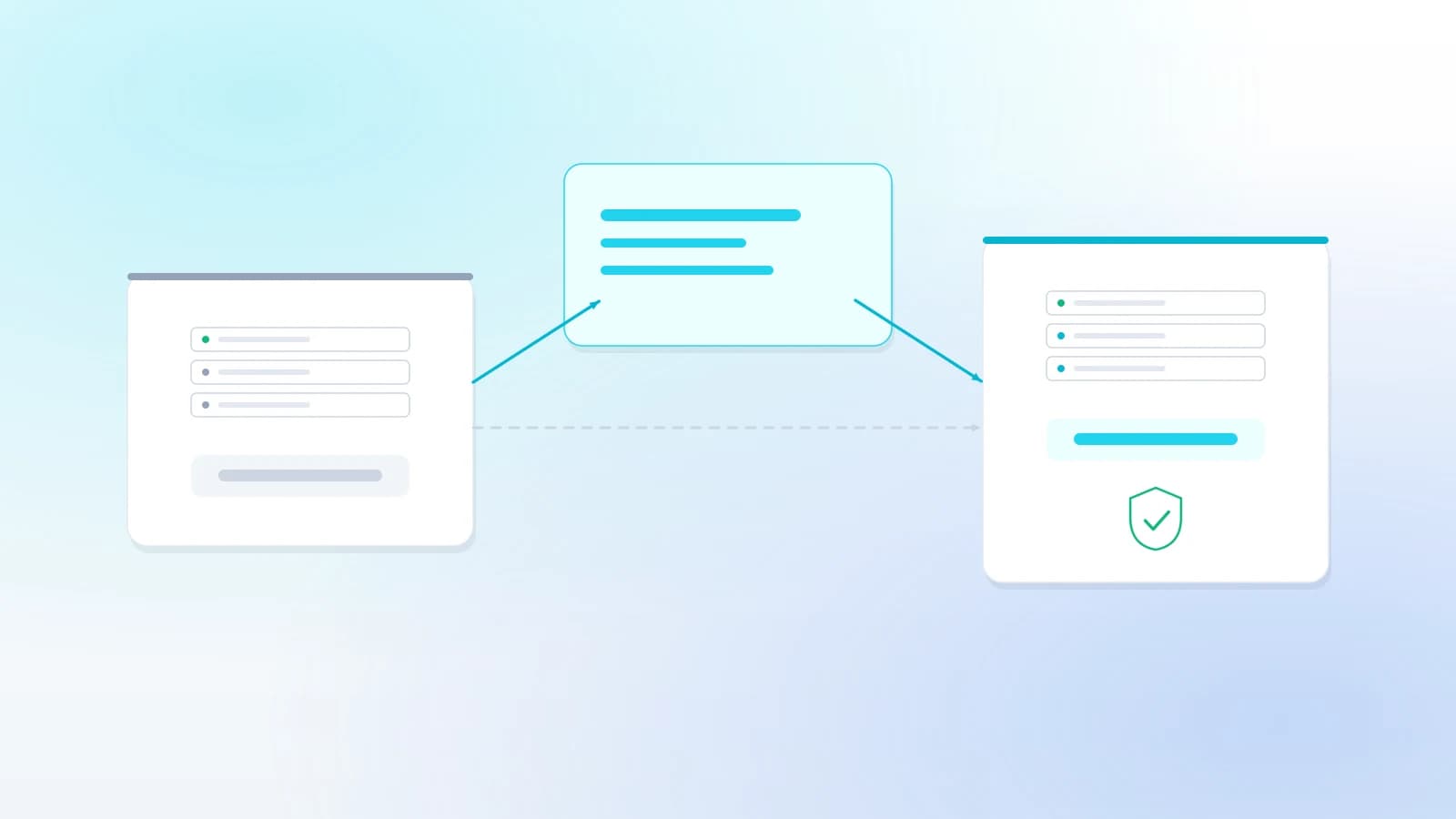
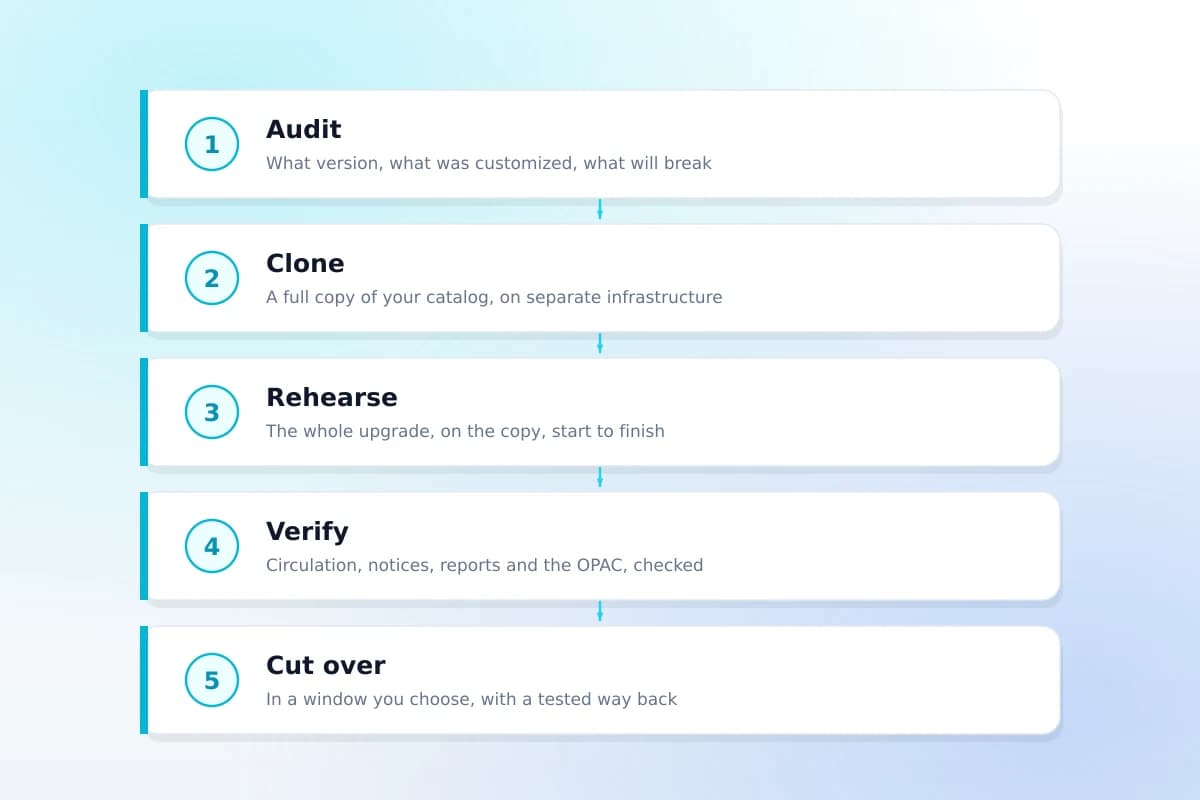
Everything is proven on a copy first. If the rehearsal fails, your catalog has not changed and nobody has had a bad night.
The dashed shortcut — upgrading the live catalog directly and hoping — is the one route we will not take, whatever the deadline.
What is included
What an upgrade quote from us covers
Items marked with a dash are deliberately out of scope. Saying so up front is what prevents the argument later.
- Version and customization auditWhat you are on, what was changed and where each change lives
- A written report before any work startsIncluding what will need re-implementing, and what that costs
- A full copy of your catalog on separate infrastructure
- The upgrade rehearsed end to end on that copy
- Customizations re-applied and re-tested
- Circulation, notices, reports and the OPAC verified
- A fresh backup taken immediately before cutover
- Cutover in a window you choose
- A tested rollback, kept available until you sign off
- Documentation of what changed and what to watch
- New features configured for youWe can quote for it — the upgrade itself puts them there, unconfigured
- Moving to our hostingA separate conversation, never a condition of the upgrade
Where the cost actually is
It is never the version gap
Two libraries four versions behind can differ tenfold in price, and the variable is what was changed, not how long ago.
Configuration and preferences
Carried across untouched. Hundreds of settings, no re-work, no risk. Most of what a library thinks of as customization is actually this.
CSS, JavaScript and the OPAC zones
Re-checked rather than rebuilt. Branding done through OPACUserCSS and the preference-driven zones survives an upgrade intact.
Template, XSLT and core changes
Re-implemented and re-tested, one at a time. This is the part that costs money, and the audit tells you how much of it you have before you commit.
This is also the argument for having customization done in the right place to begin with — the upgrade trap on our customization page explains which rung costs what.
Timeline
How long an upgrade takes
Ranges, not promises. The audit turns the range into a date, and it is the first thing we do.
| Library | Typical timeline | Notes |
|---|---|---|
| One version behind, no template edits | 1–2 weeks | Mostly rehearsal and verification |
| Two to four versions behind | 2–4 weeks | The audit sets the pace, not the version gap |
| Heavily customized catalog | 4–8 weeks | Re-implementing core changes is the cost |
| Multi-branch, with integrations to re-test | 4–10 weeks | SIP2 and SSO get their own verification pass |
Afterwards
Or stop doing this every year
An upgrade is a project when you host it yourself, and a scheduled maintenance window when somebody else does.
On Koha Cloud, upgrades are ours: planned, rehearsed and applied without your team booking a project. That is a real difference, and it is also the only thing hosting changes about this page — everything else here applies whether the server is yours or ours.
Staying self-hosted is a legitimate choice, and we will upgrade your own server for you as often as you like without ever making hosting a condition.
FAQ
What libraries ask before upgrading
We are several versions behind. Can we upgrade in one go?
Usually yes, and that is the normal case rather than the alarming one — Koha upgrades apply in sequence, so the software handles the intermediate steps itself. What takes the time is not the version distance but what was customized along the way: changes made in the wrong place are the thing that breaks, and finding them is the audit that starts every engagement.
Will we lose our customizations?
It depends where they live, and the audit tells you before anything is touched. Changes made through system preferences and OPACUserCSS survive an upgrade untouched. Template and XSLT edits usually need re-applying. Core code changes have to be re-implemented and are the reason an upgrade can be expensive — which is why we say so up front rather than after.
How long is the catalog down?
A short, planned window that you choose — usually outside opening hours. Everything before the cutover happens on a copy, so the live catalog keeps running while the upgrade is rehearsed and verified. If the verification fails, the cutover simply does not happen that night.
What if something goes wrong during the cutover?
We take a fresh backup immediately before it and keep the old version reachable until you have signed off, so the way back is a restore we have already tested rather than a plan we wrote down. No upgrade proceeds without one.
Do we have to move to your hosting to get an upgrade?
No. We upgrade Koha on your own server as a standalone piece of work and hand it back documented. Plenty of libraries do exactly that and stay self-hosted. If you would rather stop doing this every year, hosting is a separate conversation and not a condition.
Related reading
The detail behind the decision
Upgrading Koha yourself
What an upgrade involves, in order, if you have the staff and the time to do it in-house.
Read the guideCustomization and the upgrade trap
Why where a change lives decides what every future upgrade costs you.
Read the guideBackup and restore
The backup an upgrade depends on, and how to prove the file is usable before you need it.
Read the guideOther services
Get a quote
Get an upgrade quote
Tell us which version you are on and roughly what has been customized. If you do not know, that is what the audit is for — say so and we will quote for that first.